

How Do I Reset My Genesis Touchscreen?
Nothing throws off a smooth Sunday drive quite like a Genesis touchscreen that suddenly freezes on the map you were just using. Genesis of Milwaukee in Waukesha hears about this from time to time, and the fix is usually a lot simpler than it feels in the moment. So before assuming the worst, it’s worth walking through “How do I reset the infotainment system?” since most fixes take less time than a stoplight.
Key Takeaways
- A soft reset — entering “Accessory Mode” — holding the MAP and SETUP buttons for about ten seconds — solves most frozen or glitchy Genesis screens.
- Genesis models reboot with two console buttons, or a factory reset via going into the SETTINGS.
- A soft reset won’t erase saved presets or profiles, but a hard reset or battery disconnect usually will.
- Persistent freezing, black screens, or repeated reboots often point to a software update or wiring issue that’s best left to a technician.
- Genesis of Milwaukee in Waukesha can run a full diagnostic if a reset doesn’t hold.
How Do I Reset the Infotainment System in My Genesis?
Most frozen or unresponsive Genesis screens fix themselves with a soft reset. Depending on the model, that means holding a power button or two console buttons together until the screen goes black and the Genesis logo reappears.
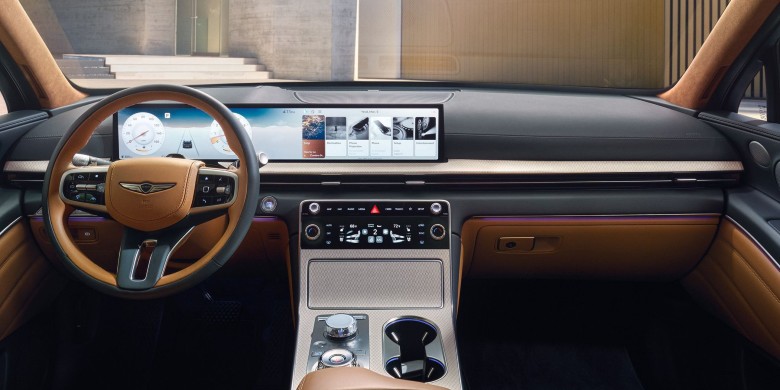
Genesis spreads this feature across a couple of button layouts. Newer models, like the GV70 and GV80, pair the touchscreen with a rotary controller on the center console, ringed by hard buttons including MAP and SETUP. Holding those two together for about ten seconds after the screen blacks out forces the head unit to reboot without touching the engine, climate, or drivetrain. Older sedans and Hyundai-based Genesis models often rely on a single power button held the same way. Either method is one of the simplest ways to answer “How to reset car screen issues without a service appointment?” and it won’t touch anything mechanical under the hood.
Steps for a standard soft reset:
Park the vehicle and leave your foot off the brake.
Hit the START/STOP button (That puts your Genesis in “Accessory Mode”).
Locate the power button or the MAP and SETUP buttons near the rotary dial.
Press and hold for about ten seconds, even after the screen goes black.
Release once the Genesis logo appears, then wait 30 to 60 seconds for the home screen, navigation, and camera feeds to reload.
What’s the Difference Between a Soft Reset and a Hard Reset?
A soft reset simply reboots the infotainment software, while a hard reset wipes stored settings and sometimes requires a small tool to reach a hidden button. Both get used for different situations.
A soft reset is the first move for almost any glitch, since it’s quick and keeps every saved preference intact. A hard reset comes into play when the screen is stuck on a logo, won’t respond to buttons at all, or keeps freezing after repeated soft resets. You would go into SETUP in SETTINGS, go ot GENERAL, and then hit RESET ALL. Note: BE CAREFUL! A factory reset will wipe your Genesis of accounts, saved locations, and more! This is one of the more thorough ways to learn how to reboot the screen in Genesis cars when the simple version doesn’t stick.
| Reset Type | What It Does | When to Use It |
|---|---|---|
| Soft Reset | Reboots the software; keeps saved settings | Frozen screen, slow apps, minor glitches |
| Hard Reset | Forces a deeper reboot via touchscreen reset | Soft reset doesn’t fix it; screen won’t respond to buttons |
| Battery Disconnect | Cuts power system-wide; may clear saved profiles | Last resort when other resets fail |
What Should I Do If My Genesis Screen Still Won’t Reset?
If a soft reset and a factory reset both fail, it’s time to bring the vehicle in rather than keep troubleshooting solo. A screen that won’t respond at all can point to something beyond a simple software hiccup.
A handful of signs suggest it’s time for a technician rather than another reset attempt: the screen goes black and never comes back, the same freeze repeats within a day or two of resetting, or the reverse camera and navigation stop working alongside the display. These patterns often trace back to a software update the system needs, a loose connection behind the dash, or an aging component that a reset simply can’t fix. Genesis of Milwaukee can pull up the vehicle’s software version and run a proper diagnostic to figure out exactly how to fix issues with Genesis screen problems that go beyond the basics, rather than guessing at another workaround.
Getting Back on the Road with a Working Screen
A glitchy touchscreen is annoying, but it’s rarely the end of the world. A quick soft reset handles most freezes and slowdowns, and knowing the next steps if that doesn’t work means less time staring at a stuck logo in a parking lot. Genesis of Milwaukee in Waukesha is always around to help sort out anything a reset can’t fix, so the drive stays smooth instead of stressful.
If the screen keeps freezing after a couple of reset attempts, scheduling a quick check at Genesis of Milwaukee is an easy next step. A short visit can rule out anything more serious and get the infotainment system running the way it should.
FAQ
Will a soft reset erase my saved settings?
No. A soft reset only reboots the software and leaves saved profiles, presets, and pairings in place.
How long does a soft reset take?
The whole process usually takes under two minutes, including the wait for the home screen to reload.
Is it safe to reset the screen while driving?
It’s best to reset while parked, since the screen going black briefly can be distracting and some camera features may drop out during the reboot.
What if the screen won’t turn back on at all?
If your screen won’t turn back on after a factory reset, then it’s time to schedule service with our expert technicians.
Does resetting the screen fix Bluetooth or CarPlay issues?
Often, yes, especially if the connection issue is tied to a software freeze rather than a phone pairing problem.
Can a dealership reset the infotainment system for me?
Yes. Genesis of Milwaukee can perform any level of reset and check for software updates that might prevent the issue from coming back.
0 comment(s) so far on How Do I Reset My Genesis Touchscreen?